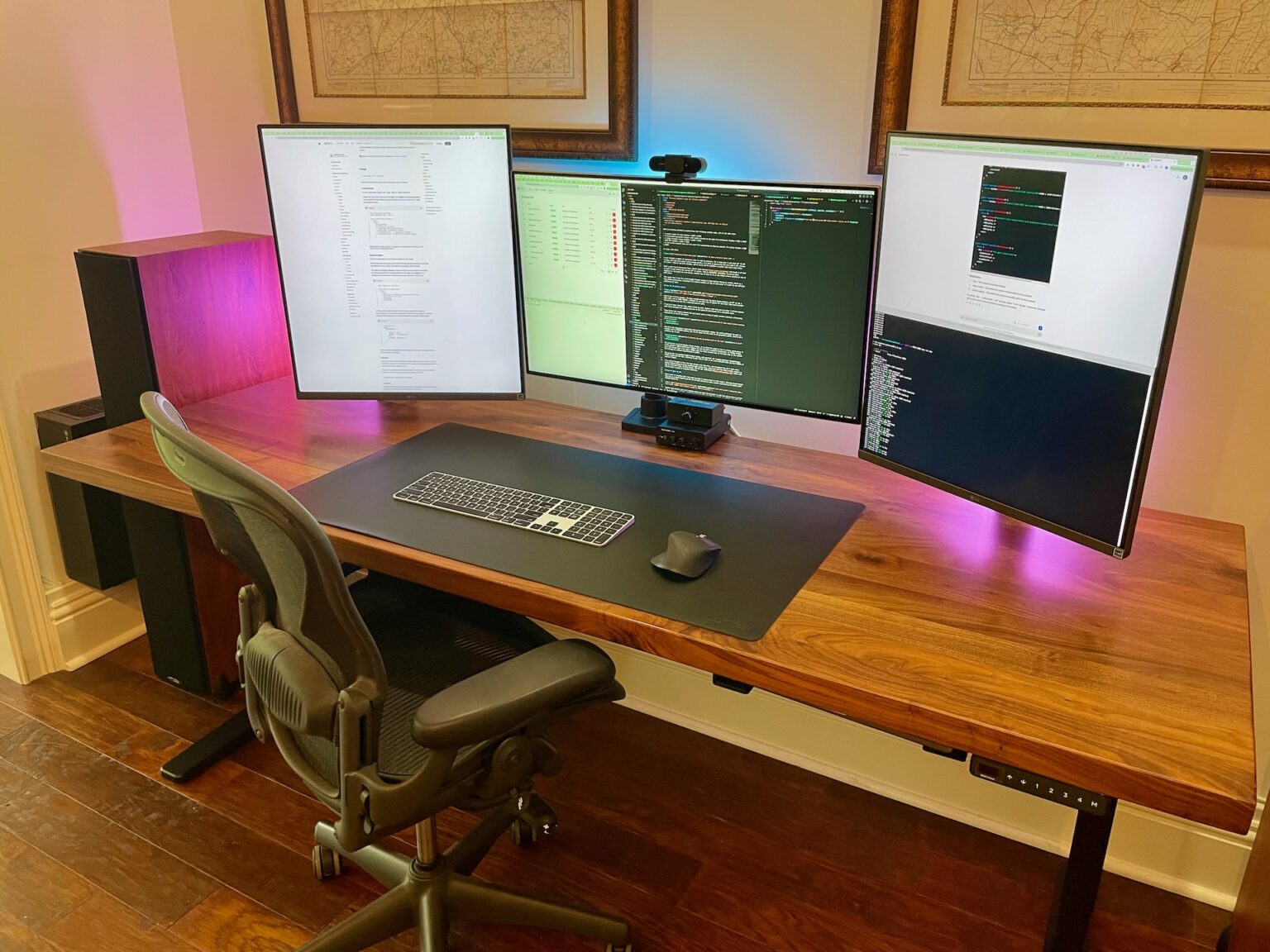

The landscape of software development has shifted dramatically as we reach the closing weeks of 2025. We are no longer just writing code; we are orchestrating complex microservices, training local machine learning models, and managing massive containerized environments. To keep up with these demands, the “standard” laptop and a single monitor setup is no longer sufficient for the high-level professional. Building the ultimate development setup in late 2025 requires a strategic approach to hardware, ergonomics, and software integration. This guide provides a comprehensive deep dive into the components necessary to create a world-class professional workstation.
- The Foundation: High-Performance Computing Architectures
- The GPU Revolution: Accelerating AI and Visual Workflows
- Memory and Storage: Eliminating Data Bottlenecks
- Visual Real Estate: The Monitor Setup
- Ergonomics: Investing in Longevity
- Input Precision: Keyboards and Mice
- Connectivity: The Thunderbolt 5 Standard
- Software Environment and AI Integration
- Live Information: Market Trends (December 18, 2025)
- Detailed Component Comparison Table
- Source Links for Further Research
- Final Thoughts on Future-Proofing
The Foundation: High-Performance Computing Architectures
At the heart of every great workstation lies the processor. In December 2025, the debate between x86 and ARM architectures has reached a fever pitch. For developers, the choice depends heavily on the specific nature of their work.
The Rise of Multi-Core Dominance with AMD and Intel
AMD has solidified its position with the latest Ryzen 9000 series, which utilizes the advanced Zen 5 architecture. These chips offer unparalleled multi-threaded performance, which is vital for developers who run heavy compilation tasks or multiple Docker containers simultaneously. The Ryzen 9 9950X, for instance, provides the high clock speeds needed for single-threaded tasks like IDE responsiveness while offering enough cores to handle background services without breaking a sweat.
Intel, on the other hand, has refined its hybrid architecture with the Core Ultra 200 series. By utilizing a mix of Performance-cores and Efficient-cores, Intel provides a highly responsive environment for Windows-based developers. The inclusion of dedicated NPU (Neural Processing Unit) silicon in these chips is a significant trend for 2025, allowing for AI-driven code completion and local LLM (Large Language Model) assistance to run with minimal impact on the primary CPU cycles.
The Apple Silicon Excellence
For those in the macOS ecosystem, the Mac Studio with the M3 Ultra or the newly released M4 Pro variants remains the gold standard. The unified memory architecture of Apple Silicon is particularly beneficial for developers working with large datasets or high-resolution graphics. Because the GPU and CPU share the same high-speed memory pool, data transfer bottlenecks are virtually eliminated. This results in incredibly fast build times and a nearly silent operation, even under heavy load.
The GPU Revolution: Accelerating AI and Visual Workflows
The role of the Graphics Processing Unit (GPU) in a developer setup has evolved far beyond gaming or rendering. In 2025, the GPU is a critical component for AI development, data science, and local machine learning experimentation.
NVIDIA RTX 5090: The New King of Development
As of December 18, 2025, the NVIDIA GeForce RTX 5090 stands as the most powerful tool for any developer involved in neural network training or complex simulations. Based on the Blackwell architecture, the RTX 5090 features 32GB of GDDR7 memory. This massive VRAM capacity is essential for loading large language models locally, allowing developers to test AI integrations without relying on expensive cloud API calls. The fifth-generation Tensor cores provide a significant speed boost for FP4 and INT8 operations, which are increasingly common in modern AI workflows.
For those who do not require the raw power of the 5090, the RTX 5080 offers a more balanced approach, providing excellent performance for mobile app development and front-end rendering while maintaining a lower power profile.
Professional Grade Graphics: NVIDIA RTX 6000 Ada
In enterprise environments where stability and ISV (Independent Software Vendor) certification are paramount, the NVIDIA RTX 6000 Ada remains the top choice. While the GeForce line is excellent for raw speed, the professional RTX line offers optimized drivers for CAD, 3D modeling, and scientific computing. If your development work involves high-fidelity digital twins or complex architectural visualizations, investing in a professional-grade GPU ensures long-term reliability.
Memory and Storage: Eliminating Data Bottlenecks
Speed is the ultimate luxury for a developer. Waiting for a project to index or a database to migrate is lost time. In 2025, the standards for memory and storage have reached new heights.
DDR5-8000 and Beyond
Memory capacity is no longer the only metric that matters; speed and latency are now equally important. For a professional workstation in late 2025, 64GB of DDR5 RAM is the recommended baseline. However, for those working with virtualization or large-scale data processing, 128GB is becoming the new “safe” ceiling. The latest DDR5 modules, running at 8000MT/s or higher, provide the bandwidth necessary to feed modern high-core-count CPUs. This ensures that even when running multiple resource-heavy applications like IntelliJ, Slack, Docker, and Chrome simultaneously, the system remains fluid.
The PCIe 6.0 and 5.0 Storage Landscape
Storage has seen a massive leap with the mainstream adoption of PCIe 5.0 NVMe SSDs. Drives like the Crucial T705 or the latest Samsung 990 Pro iterations offer sequential read speeds exceeding 14,000 MB/s. This speed is transformative for developers who frequently move large Docker images or compile massive C++ or Rust projects.
Furthermore, we are seeing the first glimpses of PCIe 6.0 storage solutions entering the high-end market. While PCIe 5.0 is more than enough for most, PCIe 6.0 is designed for AI-native systems that require extreme predictability and low latency during model checkpointing. For the ultimate setup, a multi-drive configuration is best: a high-speed 2TB Gen5 drive for the OS and active projects, and a larger 4TB or 8TB Gen4 drive for long-term storage and backups.
Visual Real Estate: The Monitor Setup
Your monitors are your primary interface with your code. In 2025, the trend has moved away from multiple small screens toward a single, expansive “Super-Ultrawide” or high-density 5K2K display.
The 5K2K Masterpiece: Dell U4025QW
The Dell UltraSharp U4025QW is widely considered the best coding monitor on the market today. Its 40-inch curved panel offers a resolution of 5120 x 2160, providing the vertical real estate of a 4K monitor with the added width of an ultrawide. This allows a developer to have an IDE in the center, documentation on one side, and a terminal or browser on the other, all without a distracting bezel in the middle. The 120Hz refresh rate ensures that scrolling through thousands of lines of code is butter-smooth, reducing eye strain over long sessions.
Dedicated Coding Monitors: BenQ RD320UA
A unique entry in 2025 is the BenQ RD series, specifically designed for programmers. These monitors feature a “Coding Mode” that optimizes contrast and sharpness for text-heavy environments. They also include integrated backlighting (MoonHalo) to reduce eye fatigue during late-night sessions and a nano-matte coating to eliminate reflections. For developers who prioritize text clarity over all else, this is a specialized tool that delivers measurable comfort.
The OLED Argument
For developers who also dabble in design or media production, OLED monitors like the HP Omen Transcend 32 or the Alienware AW3225QF offer perfect blacks and vibrant colors. While “burn-in” was a concern in previous years, the 2025 generation of OLED panels features advanced pixel-shifting and cooling technologies that make them viable for daily professional use.
Ergonomics: Investing in Longevity
A professional developer setup is incomplete without a focus on the human element. High-performance hardware is useless if the developer is sidelined by back pain or repetitive strain injuries.
The Chair: Herman Miller vs. Steelcase
The debate between the Herman Miller Aeron and the Steelcase Gesture continues into 2025. The Aeron remains the king of breathability and lumbar support, especially in its latest “Remastered” form. Its mesh design is ideal for those who work in warmer environments. The Steelcase Gesture, however, is often preferred by developers who frequently change positions. Its highly adjustable arms are designed to support a variety of postures, whether you are leaning back to think or leaning forward to hunt for a bug.
Standing Desks and the 20-8-2 Rule
Standing desks have evolved from a luxury to a necessity. Modern desks from Uplift or Fully (now part of Herman Miller) offer whisper-quiet motors and programmable heights. The latest trend in 2025 is the integration of “Smart Desks” that connect to your calendar or fitness tracker to remind you of the 20-8-2 rule: sit for 20 minutes, stand for 8 minutes, and move for 2 minutes. This rhythmic movement is proven to boost metabolic health and maintain cognitive focus throughout the day.
Input Precision: Keyboards and Mice
The keyboard is a developer’s primary instrument. In 2025, the community has largely moved toward “Custom-Mechanical” quality with “Professional-Out-Of-The-Box” convenience.
The Mechanical Excellence: Keychron and HHKB
Keychron has dominated the market with its Q-series and Lemokey lines, offering solid aluminum builds and hot-swappable switches. For a professional environment, “silent tactile” switches are the preferred choice, offering the haptic feedback of a mechanical keyboard without the noise that might disturb others in an office or on a Zoom call.
For the purists, the Happy Hacking Keyboard (HHKB) remains a cult classic. Its Topre capacitive switches provide a unique “thock” sound and a tactile experience that many developers find reduces finger fatigue during marathon coding sessions.
Precision Pointing: Logitech MX Master 3S
The Logitech MX Master 3S remains the undisputed champion for productivity mice. Its MagSpeed electromagnetic scroll wheel allows for pixel-perfect precision or scrolling through 1,000 lines of code in a second. The thumb-rest button and side scroll wheel provide shortcuts that are essential for navigating complex IDEs or large spreadsheets.
Connectivity: The Thunderbolt 5 Standard
As of late 2025, Thunderbolt 5 has begun to appear in high-end motherboards and laptops. Offering up to 120Gbps of bandwidth, Thunderbolt 5 allows a single cable to handle multiple 4K displays, high-speed external storage, and power delivery for a laptop. This “one-cable” dream is now a reality, enabling a clean, minimalist desk setup that can be transitioned from a desktop workstation to a mobile setup in seconds.
Software Environment and AI Integration
The ultimate dev setup is not just about physical hardware; it is about the software ecosystem that leverages that hardware.
Local LLMs and Copilots
With the power of GPUs like the RTX 5090, more developers are moving away from cloud-based AI assistants toward local solutions. Using tools like Ollama or LM Studio, developers can run models like Llama 3 or Mistral directly on their machines. This ensures complete privacy for proprietary codebases and eliminates the latency of an internet connection. Integrating these local models into VS Code or Neovim via extensions is a key productivity hack for 2025.
Containerization and Virtualization
Modern development requires a robust isolation strategy. Docker Desktop and its alternatives like Podman or OrbStack have become more efficient on both Windows and Mac. Ensuring your workstation has the CPU core count and RAM to support these environments is critical. In 2025, we are seeing more developers move toward “Development Containers” where the entire environment, including the compiler, debugger, and dependencies, is defined in code, ensuring consistency across the entire team.
Live Information: Market Trends (December 18, 2025)
As we look at the market today, December 18, 2025, several key factors are influencing workstation builds:
- Component Pricing: After a period of volatility, DDR5 RAM and Gen5 SSD prices have stabilized, making 64GB/2TB configurations very affordable for professionals.
- GPU Availability: The NVIDIA RTX 50-series is currently in high demand, particularly for AI research firms, leading to some regional shortages.
- Holiday Sales: Many major retailers are offering end-of-year bundles on “Workstation Kits,” often pairing high-end CPUs with premium motherboards.
- Sustainability: There is a growing trend toward “Eco-certified” components. Brands like ASUS and Dell are highlighting the use of recycled plastics and metals in their professional lines.
Detailed Component Comparison Table
| Component | Standard Choice | Professional Choice | Ultimate Choice |
| Processor | Intel Core i7-14700K | AMD Ryzen 9 9950X | Mac Studio M4 Ultra |
| GPU | NVIDIA RTX 4070 Ti | NVIDIA RTX 5080 | NVIDIA RTX 5090 |
| RAM | 32GB DDR5-5600 | 64GB DDR5-6400 | 128GB+ DDR5-8000 |
| Storage | 1TB Gen4 NVMe | 2TB Gen5 NVMe | 4TB+ Gen5/Gen6 NVMe |
| Monitor | 27″ 4K IPS | 34″ Ultrawide WQHD | 40″ 5K2K Curved |
| Chair | Ergo Chair 2 | Steelcase Leap V2 | Herman Miller Aeron |
Source Links for Further Research
For those looking to purchase or research these components further, the following sources are highly recommended:
- NVIDIA GeForce RTX 50-Series: Official NVIDIA Site
- AMD Ryzen 9000 Processors: AMD Official News
- Dell UltraSharp 5K2K Monitors: Dell Technologies
- Herman Miller Ergonomics: Herman Miller Official
- PC Part Compatibility Checker: PCPartPicker
- Detailed Benchmarks for Developers: Puget Systems
Final Thoughts on Future-Proofing
Building the ultimate development setup in 2025 is an investment in your productivity and health. While the upfront costs for a machine equipped with an RTX 5090 and a 5K2K monitor are significant, the time saved in compilation, the reduced physical strain, and the ability to run local AI models provide a massive return on investment. As the industry continues to lean into AI-assisted development, your hardware will be the primary factor that determines how fast you can iterate and innovate.
Stay updated with the latest hardware releases as we head into 2026, and always prioritize the components that address your specific bottlenecks, whether they be CPU cycles, visual real estate, or ergonomic comfort.
Would you like me to create a specific parts list for a custom PC build based on a particular budget or development niche?