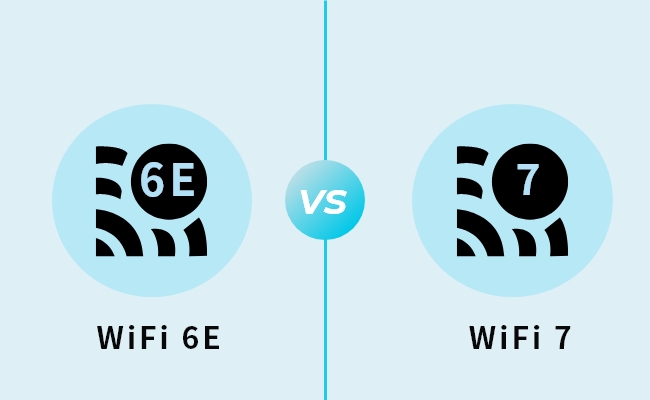

The wireless landscape has shifted dramatically in the last twelve months. Just as businesses and power users began settling into the capabilities of Wi-Fi 6E, the arrival of Wi-Fi 7 (802.11be) has upended the conversation. For IT managers, competitive gamers, and smart home enthusiasts, the question is no longer just about speed. It is about network resilience, latency management, and investment longevity.
- The Core Technical Differences: Beyond Just “Faster”
- 1. Multi-Link Operation (MLO)
- 2. Channel Bandwidth: 320 MHz vs. 160 MHz
- 3. 4K QAM (Quadrature Amplitude Modulation)
- Enterprise and Business Implications
- High-Density Office Environments
- IoT and Smart Building Automation
- Future-Proofing Capital Expenditure
- The Gamer and Creator Perspective
- Hardware Cost Analysis (2025 Market Snapshot)
- Device Compatibility Check
- The Verdict: Is the Upgrade Worth It?
- Final Thoughts
If you are considering a network overhaul in late 2024 or 2025, you are likely weighing the premium cost of Wi-Fi 7 against the established performance of Wi-Fi 6E. This guide analyzes the technical disparities, cost implications, and specific use cases to help you decide where to allocate your budget.
The Core Technical Differences: Beyond Just “Faster”
To understand the value proposition, we must look under the hood. While Wi-Fi 6E was essentially an extension of Wi-Fi 6 into the 6 GHz spectrum, Wi-Fi 7 represents a fundamental redesign of how wireless data is transmitted.
1. Multi-Link Operation (MLO)
This is the “killer feature” of Wi-Fi 7. In previous generations (Wi-Fi 6E and earlier), a device connected to a single band—2.4 GHz, 5 GHz, or 6 GHz. If that band became congested, performance suffered.
Wi-Fi 7 introduces Multi-Link Operation (MLO). MLO allows devices to connect to multiple bands simultaneously. Think of this as a delivery truck that can use two different highways at the exact same time to deliver a single package faster. This creates two massive advantages:
- Redundancy: If the 5 GHz band encounters interference, the data packets instantly reroute through the 6 GHz band without packet loss.
- Throughput Aggregation: You can combine the speeds of multiple bands for massive file transfers.
2. Channel Bandwidth: 320 MHz vs. 160 MHz
Wi-Fi 6E opened up the 6 GHz superhighway, but it was limited to 160 MHz wide lanes. Wi-Fi 7 doubles this to 320 MHz.
For high-density enterprise environments or homes with 8K streaming requirements, this is comparable to widening a road from two lanes to four. It allows more data to pass through simultaneously without queuing. This specific feature is a primary driver for enterprise wireless solutions where hundreds of laptops compete for bandwidth.
3. 4K QAM (Quadrature Amplitude Modulation)
Modulation determines how much data is packed into a single radio wave. Wi-Fi 6E uses 1024-QAM. Wi-Fi 7 upgrades this to 4096-QAM (4K QAM).
Practically, this results in a 20% increase in data transmission rates simply by packing signals more densely. For cloud computing and remote server management, this density improves efficiency even when you are not close to the maximum theoretical speeds.
Enterprise and Business Implications
For business stakeholders, the upgrade to Wi-Fi 7 is less about browsing speed and more about network security and latency reduction.
High-Density Office Environments
In an office where video conferencing (Zoom, Teams) happens simultaneously across fifty devices, Wi-Fi 6E often struggles with “jitter”—the variation in latency. Wi-Fi 7’s MLO smoothes out these spikes. If your business relies on VoIP services or real-time collaborative cloud platforms, the stability offered by Wi-Fi 7 reduces the “robot voice” phenomenon and dropped calls.
IoT and Smart Building Automation
Modern offices and high-end residential properties now rely on hundreds of sensors for HVAC, security, and lighting. These Internet of Things (IoT) devices overcrowd the 2.4 GHz band. Wi-Fi 7’s “Puncturing” technology allows the network to carve out usable spectrum even in the presence of interference, ensuring that critical security systems and smart locks remain online without interruption.
Future-Proofing Capital Expenditure
Deploying a new network infrastructure is expensive. Upgrading to Wi-Fi 6E now might save 30% on hardware costs, but it may require a “rip and replace” cycle within three years as 802.11be becomes standard. Investing in enterprise-grade Wi-Fi 7 access points today ensures compatibility with the next five years of mobile devices and laptops, amortizing the cost effectively over a longer lifespan.
The Gamer and Creator Perspective
For the prosumer market, specifically gamers and content creators, the metrics for “worth” are different.
Low Latency Cloud Gaming
Competitive gaming is a game of milliseconds. Wi-Fi 7 promises near-wired performance. By utilizing the 6 GHz band with MLO, latency can drop to sub-5ms levels wirelessly. This is crucial for VR/AR gaming and cloud gaming services like GeForce Now or Xbox Cloud Gaming, where input lag renders the experience unplayable.
4K/8K Video Workflows
Content creators moving terabytes of footage to a Network Attached Storage (NAS) device will see the biggest tangible benefit. With theoretical speeds reaching 46 Gbps (though real-world speeds are currently closer to 5-6 Gbps), Wi-Fi 7 rivals 10 Gigabit Ethernet. This allows video editors to scrub through 8K footage wirelessly from a laptop without stuttering, a workflow that was previously impossible without a cable.
Hardware Cost Analysis (2025 Market Snapshot)
The price gap is the most significant barrier to entry.
Wi-Fi 7 Routers (High Investment)
As of early 2025, flagship Wi-Fi 7 routers from brands like Netgear (Nighthawk RS700S series), ASUS (ROG Rapture), and TP-Link (Archer BE series) command a premium.
- Price Range: $500 to $1,500 USD.
- Target Audience: Early adopters, luxury smart homes, small-to-medium businesses (SMBs).
Wi-Fi 6E Routers (Moderate Investment)
Wi-Fi 6E hardware has matured, with prices dropping significantly as vendors clear stock for the newer standard.
- Price Range: $200 to $450 USD.
- Target Audience: Standard households, budget-conscious gamers.
The Hidden Cost: To benefit from Wi-Fi 7, you need more than just the router. You need a multi-gigabit internet plan (2 Gbps, 5 Gbps, or 10 Gbps fiber) to saturate the bandwidth. If your ISP only provides 1 Gbps, a Wi-Fi 7 router is like buying a Ferrari to drive in a school zone.
Device Compatibility Check
Before you swipe your credit card, audit your current electronics.
- Smartphones: Support is currently limited to high-end flagships like the Samsung Galaxy S24/S25 Ultra, Google Pixel 9 Pro, and iPhone 16 Pro series.
- Laptops: Laptops featuring the Intel BE200 network card or Qualcomm FastConnect 7800 are Wi-Fi 7 ready. This includes the Surface Pro 11 and high-end gaming laptops released in late 2024.
- Consoles: The PS5 and Xbox Series X do not natively support Wi-Fi 7 (though the PS5 Pro may have updated specs, most consoles are still on Wi-Fi 6).
If your ecosystem is primarily devices from 2022 or earlier, they will connect to a Wi-Fi 7 router but will operate at Wi-Fi 6 or 5 speeds.
The Verdict: Is the Upgrade Worth It?
Buy Wi-Fi 7 If:
- You are building a new network from scratch: If you are renovating a home or setting up a new office, do not buy outdated tech. The longevity of Wi-Fi 7 justifies the upfront capital.
- You rely on NAS or Local File Transfers: If you move large files internally, the speed boost is massive, regardless of your ISP speed.
- You are in a congested urban environment: MLO and interference puncturing are lifesavers in apartment complexes with dozens of overlapping networks.
- You need Enterprise Security: The enhanced WPA3 standards and better handling of IoT segmentation are critical for business data protection.
Stick with Wi-Fi 6E If:
- Your Internet Plan is under 1 Gbps: You will not see a speed difference.
- Your Devices are Older: Without Wi-Fi 7 clients, the router is overkill.
- Budget is a Priority: You can get excellent performance from a top-tier Wi-Fi 6E mesh system for half the price of a mid-tier Wi-Fi 7 setup.
Final Thoughts
The shift to Wi-Fi 7 is inevitable. It provides the infrastructure stability required for the next generation of immersive technology and automated business operations. While the price tag is high today, for power users and forward-thinking businesses, it is an investment in efficiency that pays dividends in saved time and reduced frustration.
If you are running a business or a high-tech home, evaluate your network architecture needs carefully. The cost of downtime or lag often exceeds the cost of hardware.